> For the complete documentation index, see [llms.txt](https://mintechbots.gitbook.io/mintech-guide/llms.txt). Markdown versions of documentation pages are available by appending `.md` to page URLs; this page is available as [Markdown](https://mintechbots.gitbook.io/mintech-guide/create-task/in-house-monitor-quicktask.md).

# In-House Monitor Quicktask

MinTech has the fastest scraper in the game, pinging everything before everyone and has some useful role pings aswell. [Get your roles here](https://discord.com/channels/938523657217663006/954319525875179530/1084299097072218192)

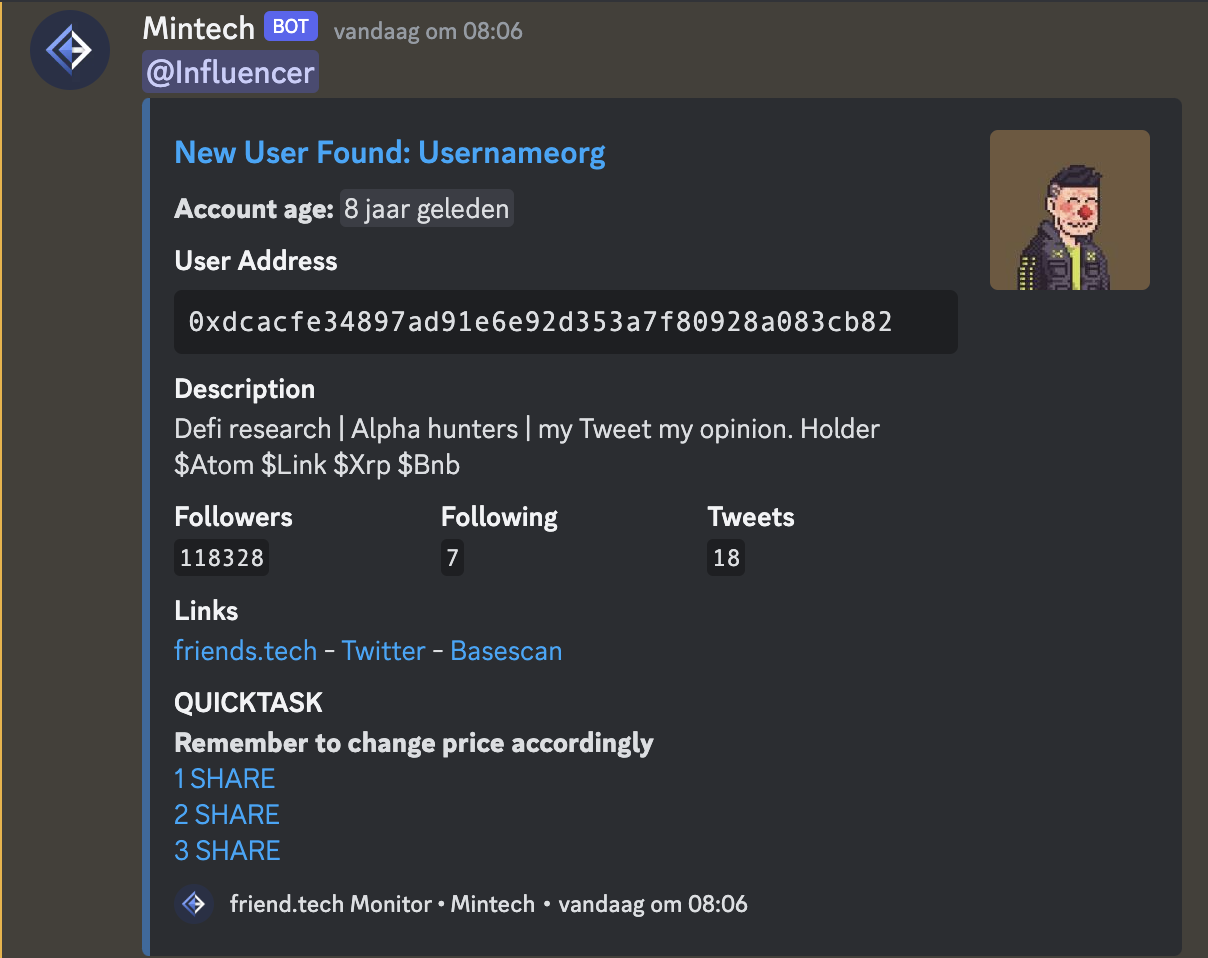
Account Age\
Username\
User Address\
Twitter Bio\
Followers\
Useful Links\
Quicktask URL

What else do you need in this monitor?

<figure><img src="https://i.gyazo.com/3454f7ac911a13f568822f2d885cd4e9.png" alt=""><figcaption><p>Influencer pings when it has a minimum of 50k followers (just an example)</p></figcaption></figure>

<figure><img src="/files/JnZBSrITFskDcTFjDjq4" alt=""><figcaption><p>Potential influencer pings when it has a minimum of 10k followers (just an example)</p></figcaption></figure>

How to Setup quicktasks?

{% embed url="<https://i.gyazo.com/e7c675200acf62730115e3b96f6da1b1.png>" %}
Disable auto start tasks if you don't want the bot to start immediately
{% endembed %}

The only quicktask group that works with our monitors is the `Default` quicktask group, make sure to choose the right wallet, input your gas fees and use a base RPC.

Slippage is not needed to input.

<figure><img src="/files/lKHIKI80wdLZex643AnV" alt=""><figcaption><p>Click on the blue hyperlinks if you want to quicktask and bot will run or create the tasks</p></figcaption></figure>
